🖥️ Desktop Computer Hardware Combo – Complete Office Setup
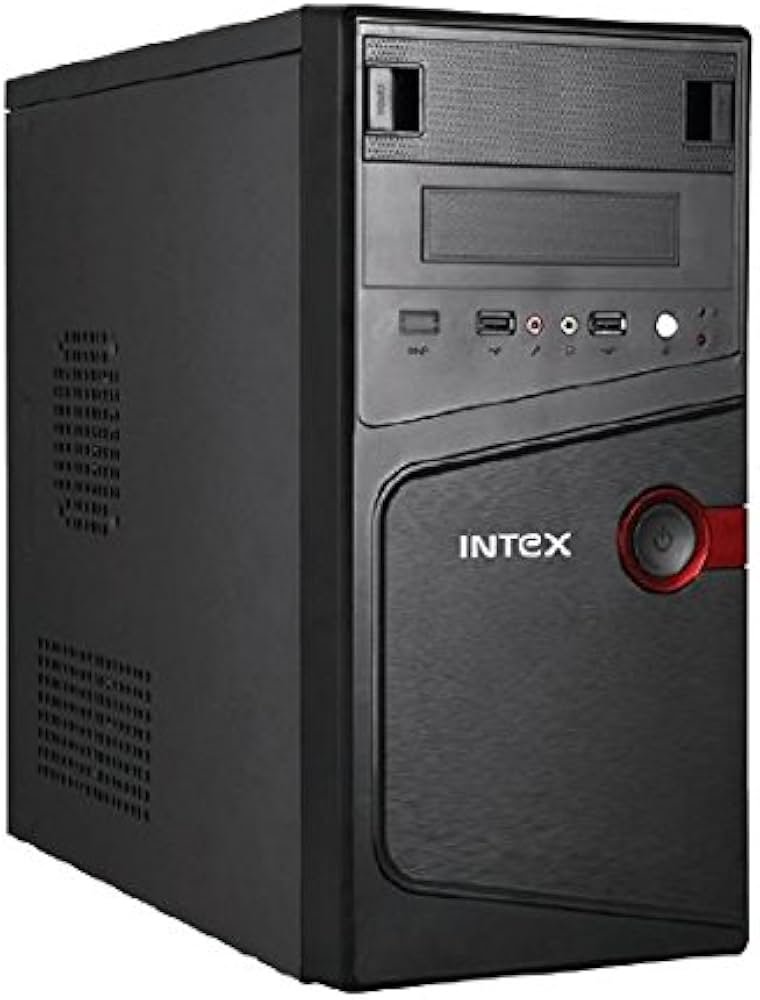
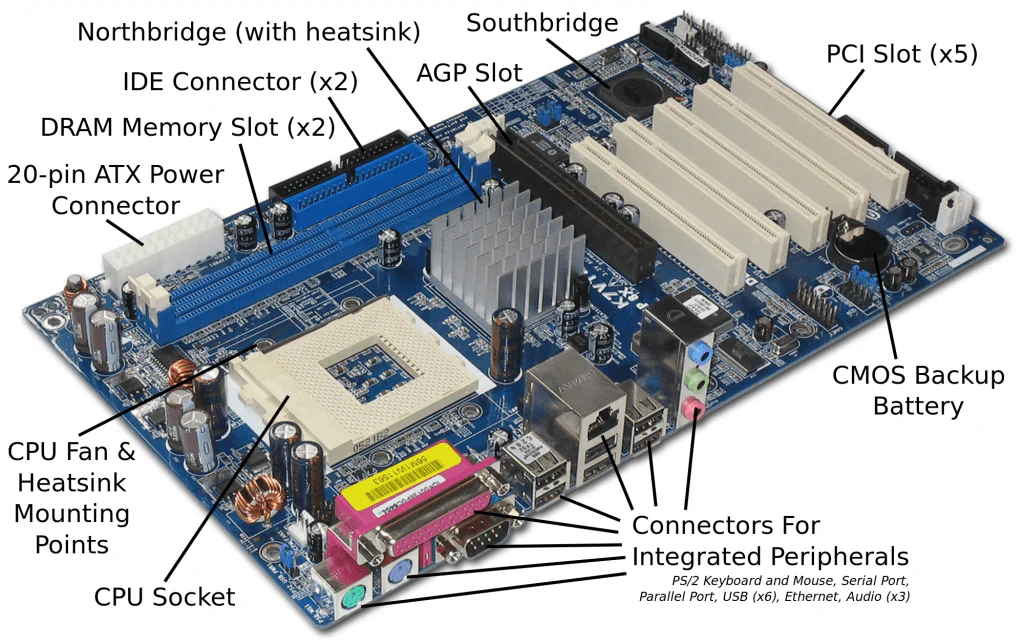
The Desktop Computer Hardware Combo is a reliable and performance-oriented solution designed for offices, businesses, educational institutions, and professional environments. This hardware package includes a high-quality CPU cabinet, motherboard support structure, RAM compatibility, and a stable SMPS power supply unit, ensuring smooth and uninterrupted system performance.
Complete desktop computer hardware solution with durable cabinet, motherboard support, RAM compatibility and stable SMPS power supply. Perfect for office and business systems.
In today’s digital world, a dependable computer system is essential for productivity and business growth. The Desktop Computer Hardware Combo is built to support modern processors and memory configurations, making it suitable for multitasking, office applications, accounting software, browsing, data management, and more.
The CPU cabinet is designed with strong metal construction to ensure durability and long-lasting performance. Proper ventilation support helps maintain airflow inside the cabinet, preventing overheating of internal components. This improves the lifespan of the motherboard, processor, and power supply.
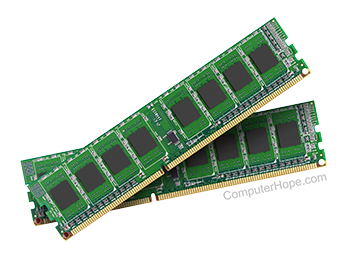
The motherboard compatibility ensures support for popular processor brands and memory types. Whether you are building a new desktop or upgrading an existing one, this hardware combo provides flexibility and reliability. It supports high-speed RAM modules that enhance system responsiveness and overall performance.
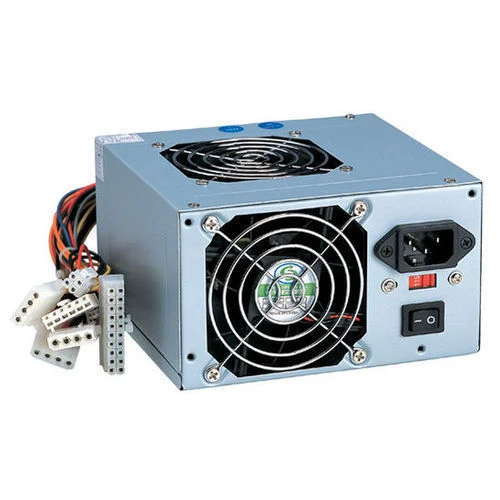
The included SMPS (Switched Mode Power Supply) plays a crucial role in maintaining stable voltage output. A good power supply ensures that all internal components receive consistent and safe power. This 450W SMPS is designed with overload protection, short-circuit protection, and thermal safety features, protecting your valuable hardware from damage.
This Desktop Computer Hardware Combo is ideal for:
Office workstations
Billing and accounting systems
Educational institutions
Internet browsing centers
Small businesses
Data entry operations
Commercial setups
Performance and stability are key advantages of this hardware package. With proper assembly and compatible processor installation, the system can handle daily office workloads efficiently. The cabinet design supports additional storage devices such as SSD and HDD, giving users flexibility for storage expansion.
Energy efficiency is another benefit. The SMPS unit is designed to optimize power usage, reducing electricity consumption while maintaining consistent output. This is particularly useful for offices running multiple systems throughout the day.
Installation is straightforward for professional technicians. All components are compatible with standard ATX configurations, making it easy to assemble and maintain. Regular cleaning and maintenance ensure long-term performance and reliability.
Security and durability are also important factors. The sturdy cabinet protects internal components from dust and minor physical damage. Proper cable management inside the cabinet ensures neat assembly and better airflow.
Key Features:
Strong and durable CPU cabinet
Motherboard compatibility support
High-speed RAM support
450W stable SMPS power supply
Investing in the Desktop Computer Hardware Combo ensures reliable system performance and long-term productivity. Whether you are setting up new office systems or upgrading existing computers, this hardware solution offers excellent value and dependable performance.
For businesses looking for cost-effective yet durable computer hardware, this combo provides the perfect balance between performance, safety, and efficiency.
1. Desktop Tower / CPU (Central Processing Unit)
This is the main computer — the brain of your setup.
✔ Processor (CPU) – Performs calculations and runs all programs.
✔ Memory (RAM) – Short-term workspace for active tasks (e.g., 8–16 GB for office).
✔ Storage – Holds programs and files:
-
SSD (Solid State Drive) — Fast boot and application load times (e.g., 256–512 GB).
-
HDD (Hard Drive) — Optional larger storage (e.g., 1–2 TB).
✔ Motherboard – Connects all internal parts.
✔ Power Supply Unit (PSU) – Provides stable power.
✔ Cooling – Fans or heat sinks keep the system running cool.
➡ Ideal for: MS Office, browsers, Zoom/Teams, accounting software, email, PDF work, cloud tools.
🖥️ 2. Monitor
A screen to view your work, often included as:
✔ 24″ – 27″ LED/LCD
✔ Full HD (1920×1080) or higher resolution
✔ Adjustable stand / VESA mount compatible
Good monitors reduce eye strain and improve productivity.
⌨️ 3. Keyboard
A standard keyboard for typing:
✔ Full-size with numeric keypad
✔ Wired USB or Wireless
✔ Comfortable, durable keys
Office setups often include multimedia keys for shortcuts.
🖱️ 4. Mouse
Pointing device to navigate your computer:
✔ Optical/Wireless Mouse
✔ Comfortable grip for long use
Often paired with a mouse pad.
🔈 5. Speakers (Optional)
External audio for:
✔ Alerts, music, video calls
✔ Better sound than built-in monitor speakers
Some setups include a headset with microphone for calls.
📎 6. Essential Cables & Accessories
Includes all the cables you need:
✔ Power cables
✔ HDMI/DisplayPort/DVI/VGA cable (monitor)
✔ USB cables
Also:
✔ Surge protector / power strip
✔ Webcam (for video meetings)
📌 Typical Recommended Specs for Office Work
| Component | Suggested Minimum |
|---|---|
| CPU | Quad-core 10th gen or newer (Intel i3/i5 or AMD Ryzen 3/5) |
| RAM | 8 GB (16 GB preferred) |
| Storage | 256 GB SSD (512 GB+ better) |
| Monitor | 24″ Full HD |
| Keyboard/Mouse | USB or Wireless combo |
| Operating System | Windows 11 Pro / Linux / macOS (if Apple) |
Reviews
There are no reviews yet.